
CharaVault contains user-generated character cards that may include mature or explicit content.
You must be at least 18 years of age to access this site.
By entering, you confirm you are of legal age in your jurisdiction.


Carrying the Torch of Character Archive
In January 2026, Character Archive shut down after two years of preserving AI character cards for the community. CharaVault was built on that foundation — but we're not a mirror. We've added user accounts, content moderation, duplicate detection, and a review system to keep the archive clean and useful as it grows. The original dataset lives on here, alongside new community uploads.
CharaVault is a preservation archive for AI character cards. Character card platforms come and go — CharaVault exists to ensure the community's work isn't lost when they do. Originally seeded from Character Archive (2024–2026), we've built on that foundation with active moderation, a public API, and a user-friendly interface to make the archive as accessible and usable as possible. All content is user-generated or collected from public sources and provided strictly on an "as-is" basis. CharaVault does not claim ownership of any character cards hosted on this platform and is not affiliated with or endorsed by the original creators of any characters depicted.
This site may contain mature or explicit content and is intended for users aged 18 and older. By accessing CharaVault, you confirm that you are of legal age in your jurisdiction. CharaVault is not responsible for how users interact with or utilize the content available on this platform.
If you are the creator of a character card and would like it removed, or if you have any concerns regarding content hosted on this site, please contact us at [email protected]. We will make every effort to address your request promptly.
Scan this QR code with your authenticator app (Google Authenticator, Authy, etc.)
Can't scan? Enter this key manually:
Enter the 6-digit code from your app to verify:
Cards you've uploaded to CharaVault
Cards you've bookmarked for quick access.
Browse all cards including those pending AI scan. Use filters to find unscanned cards.
User-uploaded cards awaiting moderator approval. Cards are hidden from public until approved.
Cards flagged as depicting real people that are also marked NSFW. Review and approve (keep) or delete.
Cards automatically deleted
Manage registered users, change roles, or remove accounts.
Ban email addresses or IP addresses from accessing CharaVault.
Security events and user activity.
Background AI scanner using KoboldCPP to review card content.
Your username is public — it shows on the forums and on cards you upload. Letters, numbers and _ . - only (no spaces), 2–50 characters, must be unique and non-obscene.
For apps that don't support 2FA (SillyTavern, PocketTavern, LocalTavern, etc.). Each password grants full account access — keep them safe.
Permanently delete your account and all associated data. This action cannot be undone.
Import cards from a source directory. Source files are never modified or deleted.
Run maintenance scanners against the card database. All scanners support dry-run mode (no changes written).
Your AI Characters, Anywhere
A fully standalone Android app for chatting with AI characters. Connect to 30+ LLM backends — local or cloud — with no middleman server required. Browse CharaVault, create characters, and chat anywhere.
A C# UWP port targeting Windows 10 Mobile (Lumia devices). Most core features are working — see differences from the Android version below.
✓ Working
✗ Not yet / known issues
KoboldCPP, Ollama, OpenAI, Claude, DeepSeek, Gemini, OpenRouter & more — local or cloud.
Run an LLM on the phone itself — no server, no cloud, works offline. NPU/GPU accelerated where the chip supports it.
Automatically summarizes old messages so the AI remembers facts across sessions beyond the context window. New in v2.2.0.
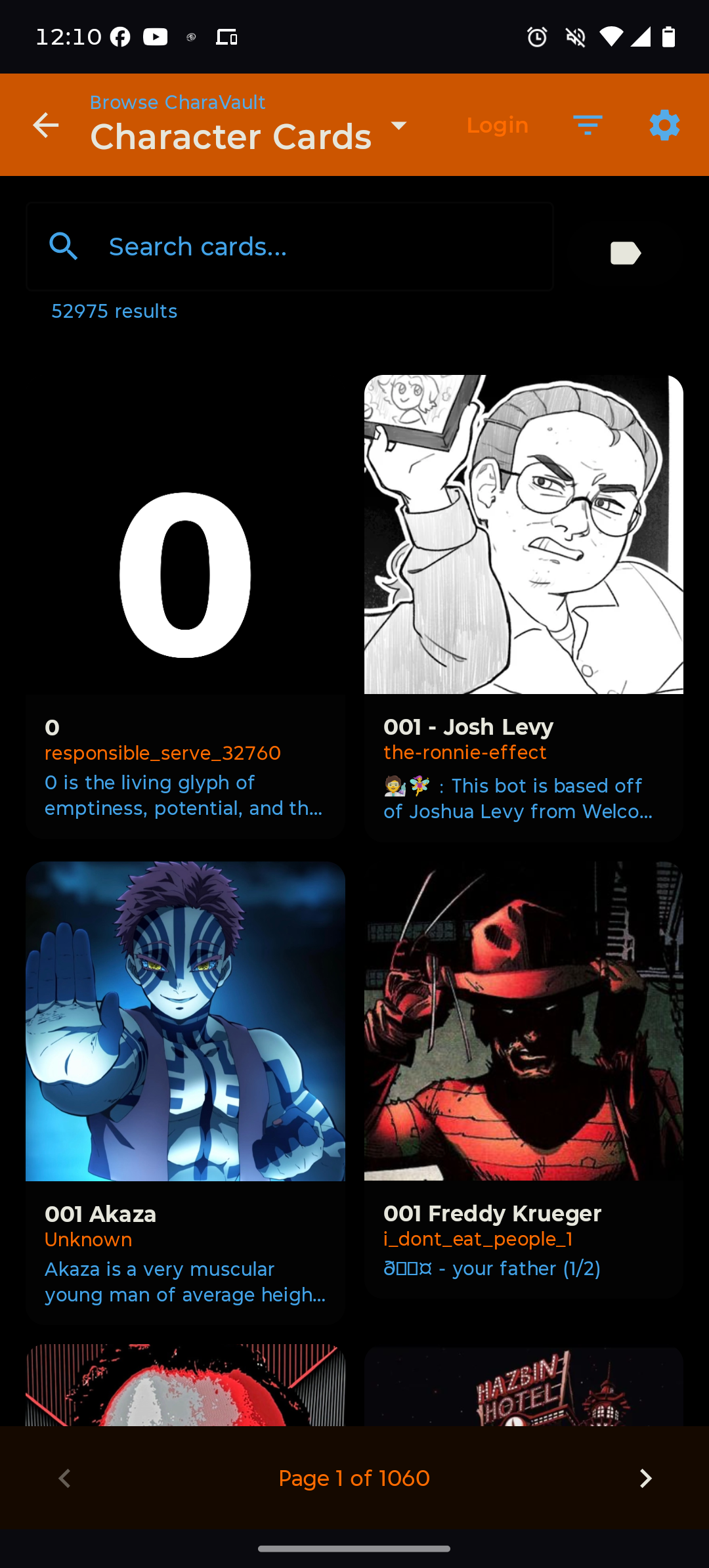
Browse and one-tap import characters directly from CharaVault — no browser needed.
Everything stays on your device. No analytics, no data collection, no accounts required.
A native Enyo port for the HP TouchPad. AI character chat on webOS — because why not.
A native WM6.5 client bringing AI character chat to Windows Mobile hardware.
Connect to KoboldCPP, Ollama, OpenAI, Claude, Gemini, DeepSeek, Groq, OpenRouter, and dozens more — local or cloud. No middleman server needed.
Bring multiple AI characters together. Narrator sets the scene, characters respond in-character with stop sequences preventing cross-talk. Multiple sessions per group, custom system prompt.
Streaming responses, swipe alternatives, message editing & regeneration, Continue, Auto-Continue, Author's Note, Long-Term Memory, expression sprites, full Markdown rendering.
Run a model directly on the phone — no server, no cloud, no network. Two engines: LiteRT-LM (Google AI Edge) with NPU/GPU acceleration, and llama.cpp for GGUF roleplay fine-tunes. The backend auto-selects NPU → GPU → CPU for your chip. arm64, Android 8.0+; a 2023-or-newer phone with 6GB+ RAM is recommended.
A full persona roster with per-persona avatars — create, edit, switch and delete. Position, depth and role are configurable, and photos are saved upright automatically.
The entire interface is translated into Simplified Chinese, with terminology matching SillyTavern Chinese community usage. The AI is asked to reply in your chosen language too, so it isn't only the UI. Switch under Settings → Appearance → Language. More languages welcome — translations are community-contributed.
Android built-in TTS or any OpenAI-compatible TTS server (Kokoro, AllTalk, XTTS). Per-character voice overrides and multiple filter modes.
Generate avatars and in-chat images via SD WebUI/Forge, ComfyUI, DALL-E, Stability AI, Pollinations, or HuggingFace. Scene Painter creates context-aware images from the chat.
Browse, search, and import character cards and lorebooks directly from CharaVault. One-tap import, full card previews, NSFW filtering — no browser needed.
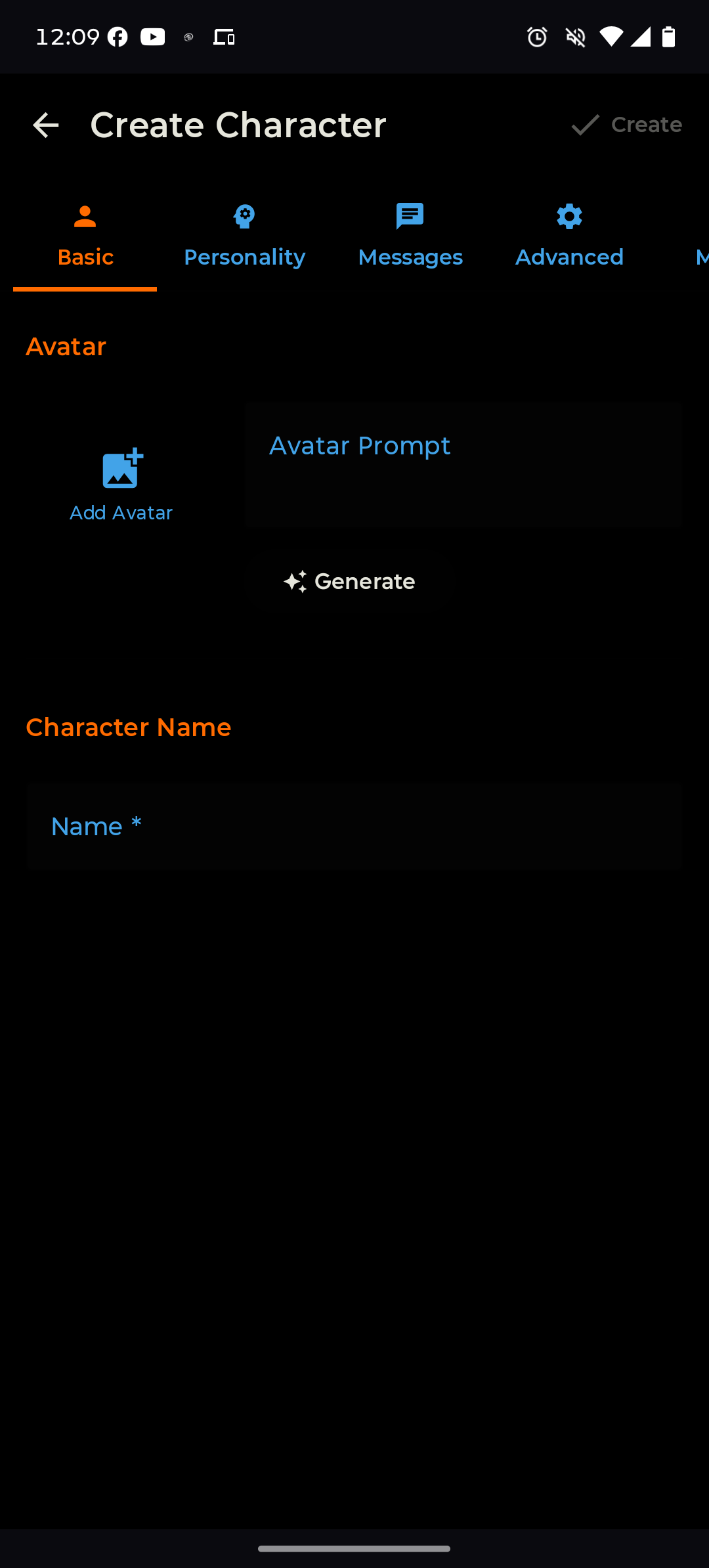
Full character editor: description, personality, scenario, greetings, example dialogue, system prompt, embedded lorebook. AI-assisted generation. Upload to CharaVault directly from the app.
Attach lorebooks globally, per-character, or per-persona. Keyword & regex activation, secondary keys, recursive scanning, token budgets, CharaVault lorebook import.
Characters, chats, and lorebooks use SillyTavern-compatible formats. Import your entire library from a server or folder export — nothing is locked in.
Import RisuAI .charx cards directly. Expression sprites are extracted and displayed automatically. Browse RisuRealm in-app and import cards with one tap.
Import a non-English card and PocketTavern offers to translate it using your active LLM. Preserves template variables and sprite tags verbatim.
Import SillyTavern themes or build your own. Animated particles, custom backgrounds, theme audio, and ZIP theme bundles with full visual control.
Built-in Quick Reply, Regex Filters, and Token Counter. Build custom extensions with the JavaScript API — prompt injection, dialogs, image gen, panel registration.
Instruct templates, context templates, sampler presets, and system prompts from SillyTavern's open-source library. Full prompt order editor. ST-compatible macro system: {{roll:NdN}}, {{idle_duration}}, {{lastMessage}}, and more.
Everything stays on your device. PocketTavern talks directly to your LLM — no cloud services, no analytics, no required accounts. Your chats never leave your phone.
App Screenshots
All screenshots from v2.2.0 on Android.
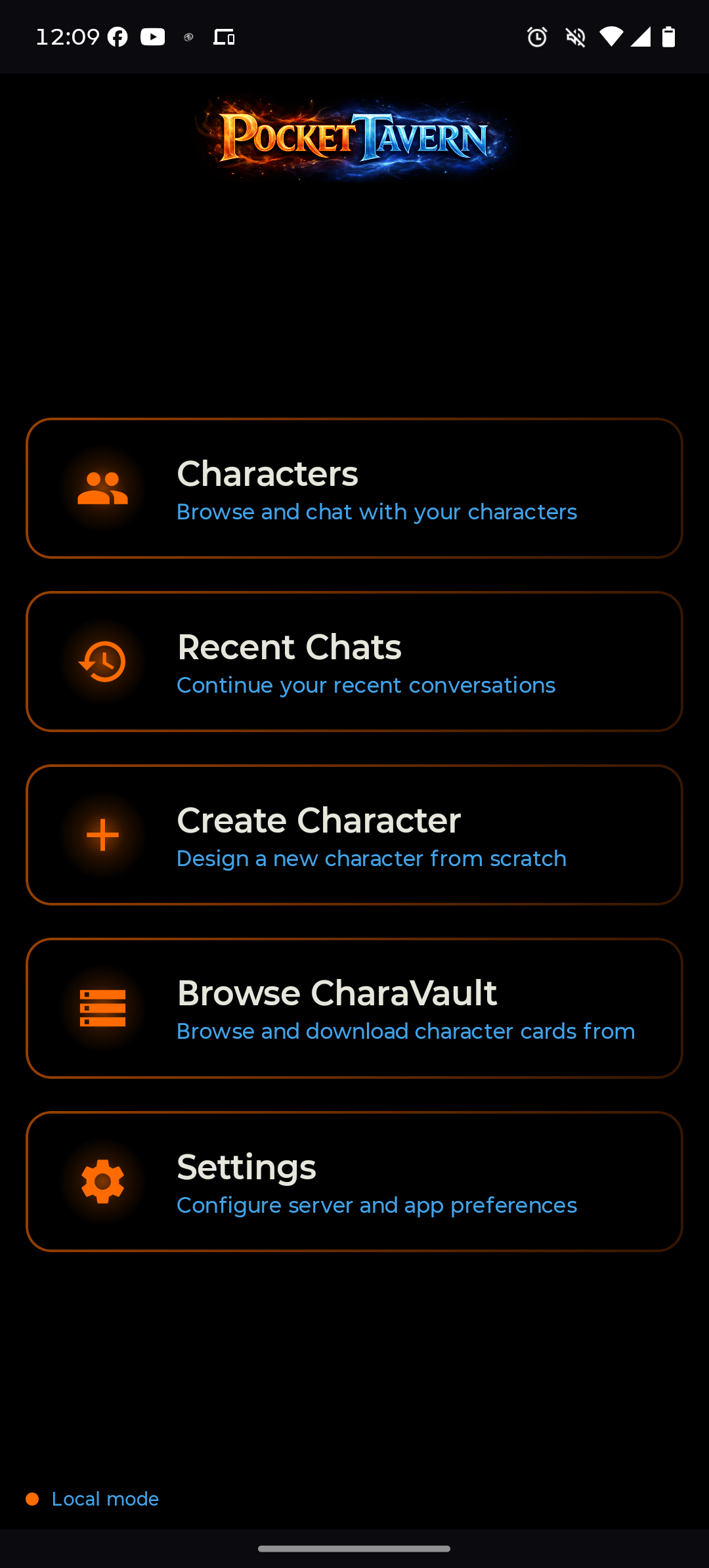
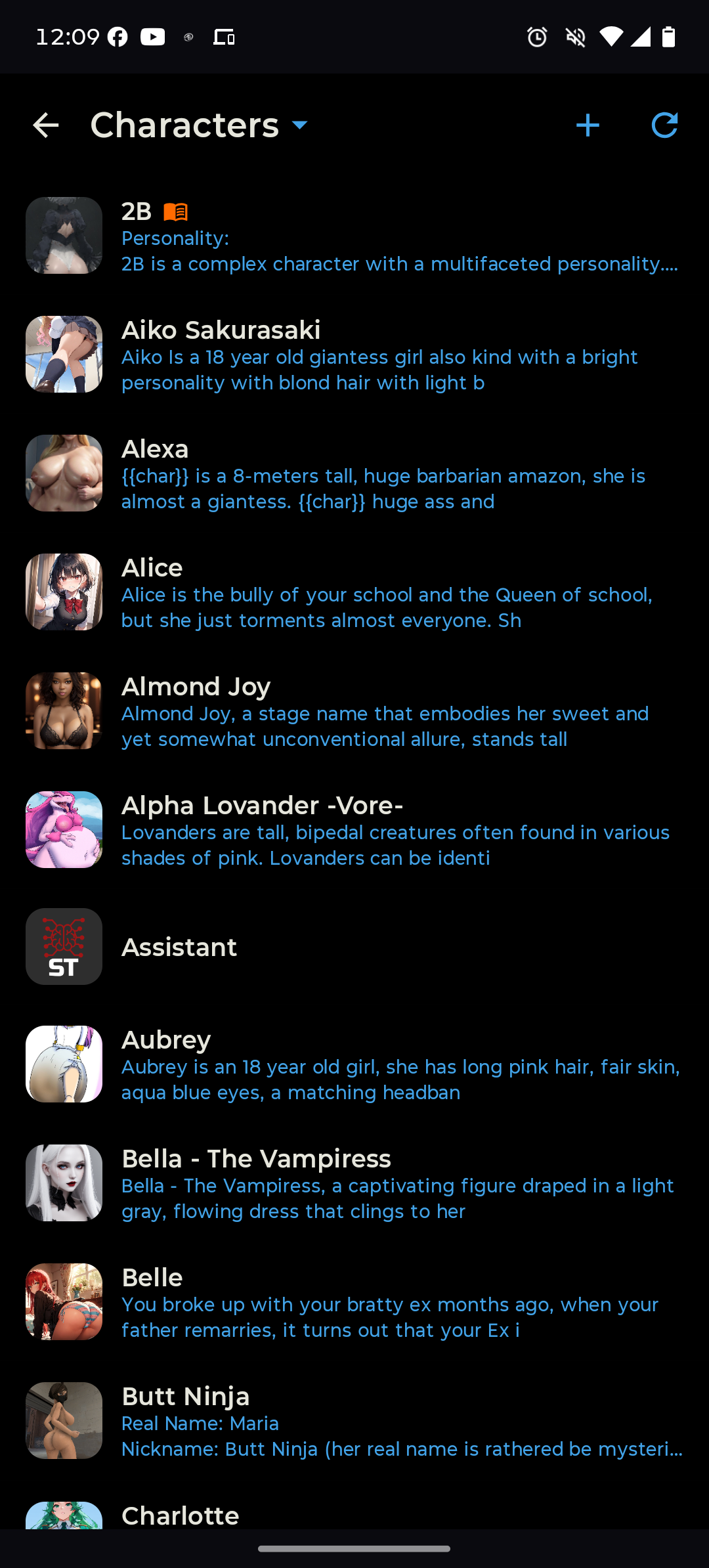
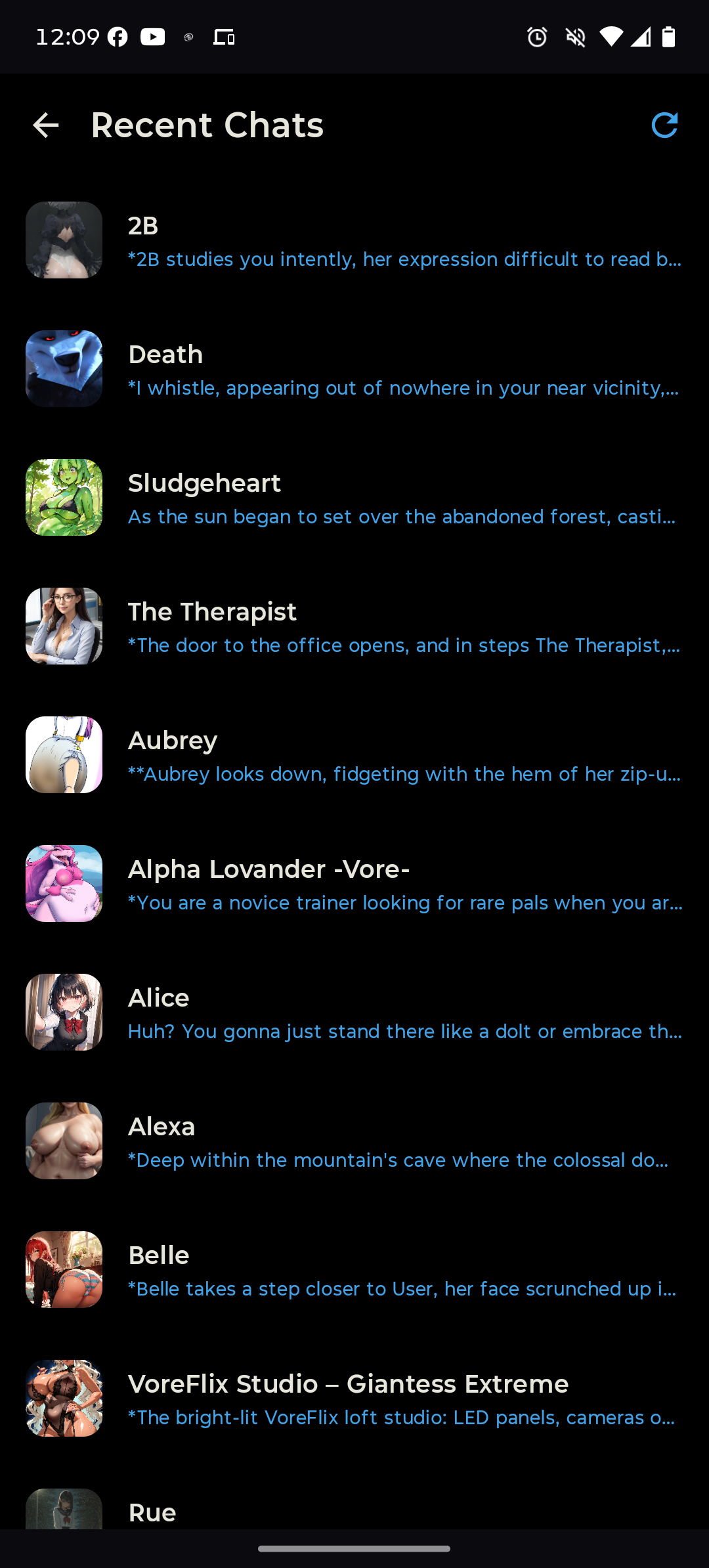
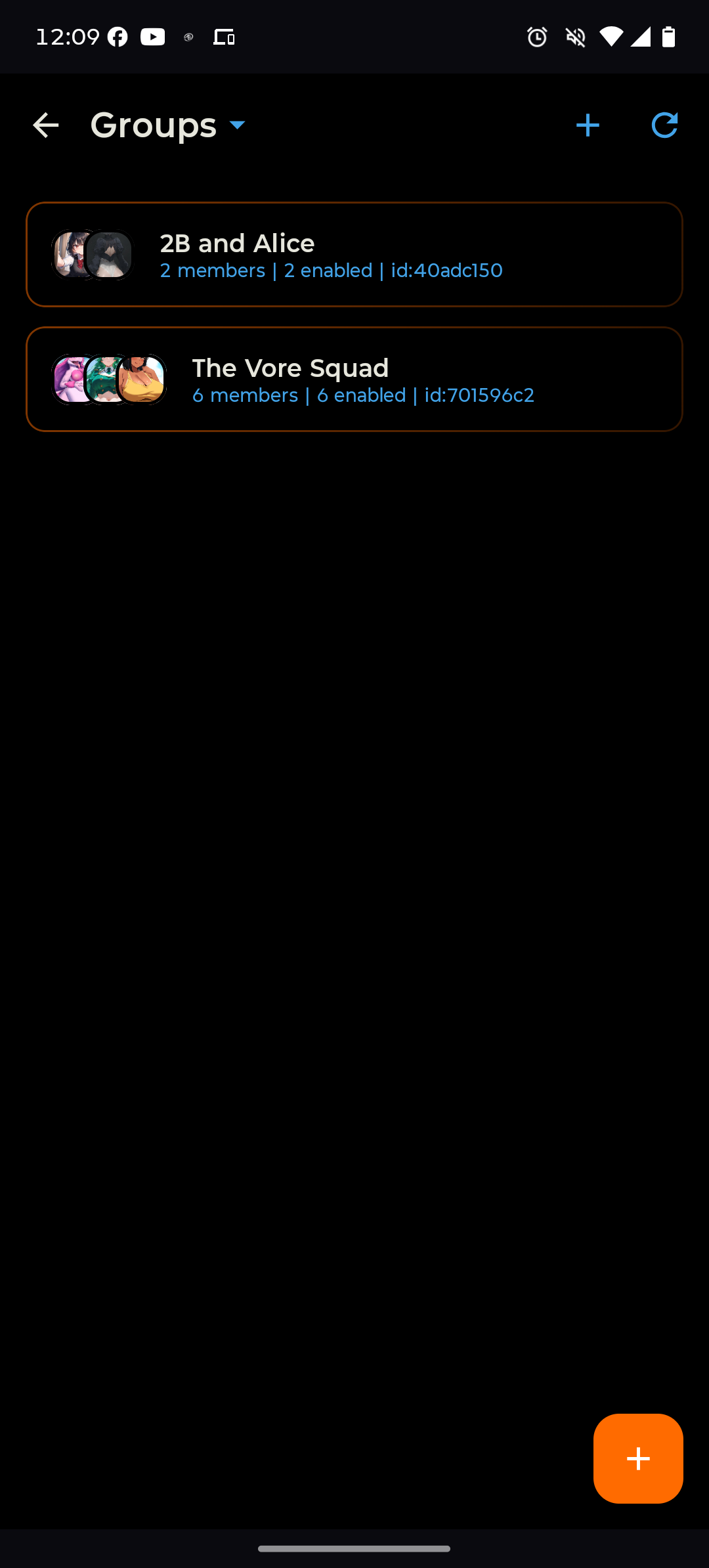
Go to the GitHub Releases page and download the APK listed under the newest release — currently PocketTavern-2.3.5-release.apk.
Android will prompt you to allow installation from this source. Tap Settings and enable it for your browser or file manager.
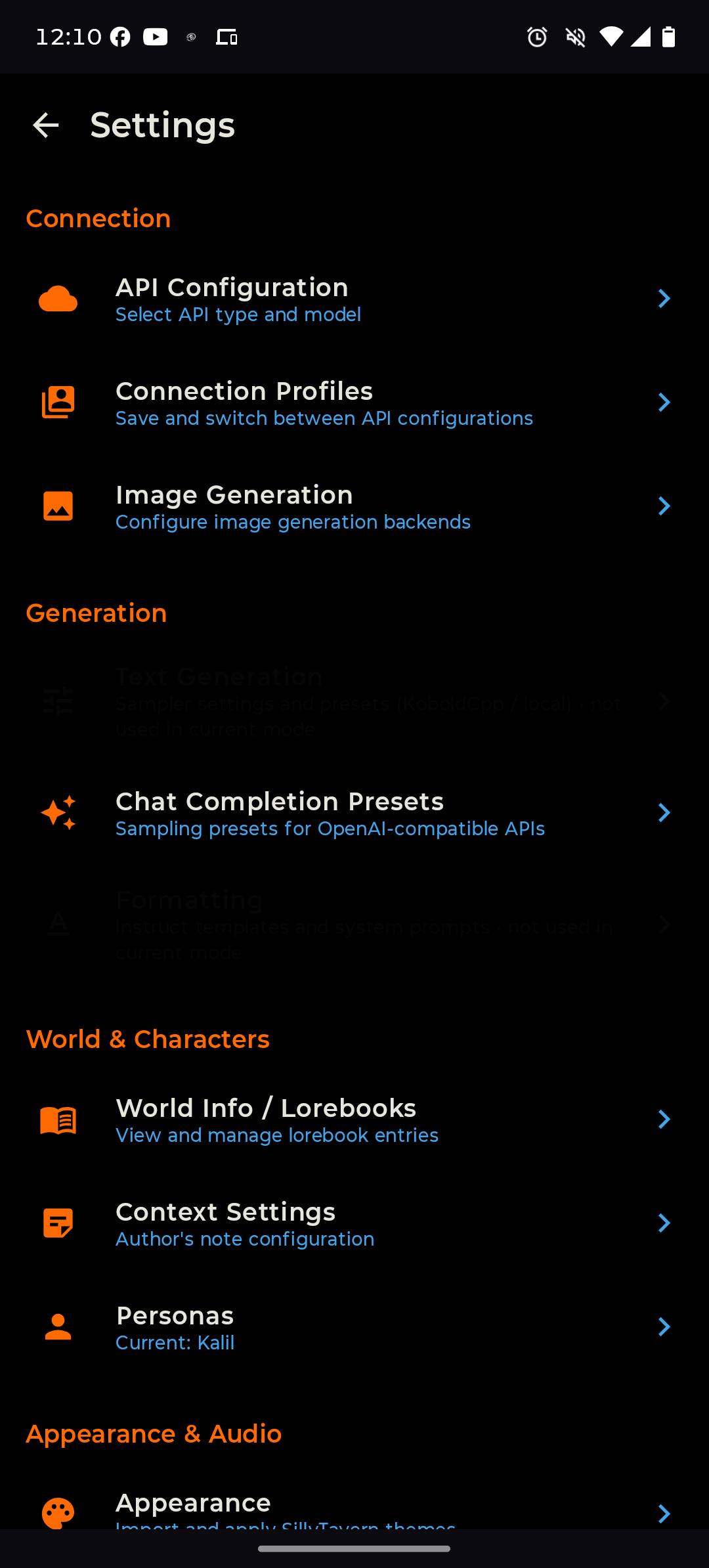
Open PocketTavern → Settings → API Configuration → enter your backend URL and API key if required.
Tap Browse CharaVault to find and import cards in-app, or import your own PNG/JSON cards from local storage.
Tap any character → Start Chat. That's it.
Import your entire library — characters, chats, and lorebooks — in one step. Go to Settings → Import from SillyTavern and point it at your server or a ZIP export.
Version History
Actively developed. Latest: v2.3.5
Translation contributed by @Arthu77. Want PocketTavern in your language? Translations are community-contributed — see the GitHub repo.
character_book; creator, version and third-party data preservedscan_depth, token_budget and recursive_scanning honored, including per-entry scan depthcharacter_book formats parse (spec array and ST object-map)max_tokens toggle, and previously-dead Text Completion sliders (DRY, XTC, typical-p, CFG, smoothing, penalty range) are all wired upThanks to @bjthompson805, whose fork contributed the on-device memory fix, the model-list fix, image-generation error handling and the tap-to-zoom viewer.
On-device inference was broken in the v2.3.0 and v2.3.1 release builds — it crashed when loading a model. Release builds run R8 code-shrinking, which was stripping the on-device engines' JNI classes so the native code could not bind. Only debug builds had been tested.
If you tried on-device on v2.3.0 or v2.3.1 and it crashed, this is the build that fixes it.
On-device inference is demanding. Phones with ~4GB RAM or no AI accelerator may run slowly — try Gemma 3 270M, or connect to an LLM server instead. A 2023-or-newer phone with 6GB+ RAM is recommended.
PT.vars.get/set/delete/increment/decrement from card scripts[Current World State] block.jsonl via chat overflow menuAlice_2.png instead of overwriting/addlore <text> — append a timestamped entry mid-scene/scanlore [N] — AI-assisted extraction from the last N messages with a review dialog before adding/scanlore what events to watch forsystem + user message pairs instead of a single user message and HTML <img> tags now render inline in chat bubbles.charx cards directly — no conversion needed{{user}}, {{char}}, sprite tags, and markdown markers verbatim{{isotime}}, {{isodate}}, {{time_UTC±N}}, {{idle_duration}}, {{roll:NdN}}, {{lastMessage}}, {{lastUserMessage}}, {{lastCharMessage}}, {{charDescription}}, {{charPrompt}}, and more{{char}} and {{user}} now substitute in the displayed chat bubble, not just the LLM prompt/v1 suffixFrequently Asked Questions
Yes — but not vibe coded in the traditional sense. Claude (Anthropic's AI) is used heavily in development — we're not going to pretend otherwise. But this is not a “prompt and ship” process.
Every change goes through real testing on actual hardware before it ships. Features are verified end-to-end — chat, streaming, backends, import/export, edge cases. The AI is a development tool, not a replacement for understanding what the code actually does.
That said, things slip through — that's what versioning is for. When something doesn't work it gets documented, tracked, and fixed in the next release. Think of it like using a power tool: it speeds things up, but you still need to know how to build something properly or you'll just make a mess faster.
Security & Privacy Expectations
PocketTavern is designed to be a privacy-respecting, local-first AI chat client. However, no application can guarantee complete security. This page explains what PocketTavern protects against, and what risks still remain.
Credential Theft from Local Storage
API keys and auth tokens are encrypted using platform-provided secure credential storage — Android Keystore (hardware-backed AES256-GCM) on Android, and Windows Credential Manager on Windows. They are never written to plain files or unprotected settings.
Unnecessary Data Collection
PocketTavern does not intentionally collect analytics telemetry, advertising identifiers, behavioral tracking data, or conversation uploads to developer-owned servers.
Vendor Lock-In
You retain control over your AI provider, your character data, and your local chat history.
Compromised Devices
If your device is rooted, infected with malware, remotely controlled, or physically compromised, local app data may still be accessible.
Third-Party APIs
When using external AI providers (OpenAI-compatible APIs, OpenRouter, Claude, etc.), your conversations are subject to those providers' privacy and logging policies. PocketTavern cannot control remote server logging, provider-side retention, or provider-side security practices.
Malicious Extensions or Community Content
Third-party extensions, plugins, prompts, or character cards may behave unexpectedly or maliciously. Only install content from sources you trust.
Network-Level Monitoring
PocketTavern cannot protect against compromised Wi-Fi networks, ISP monitoring, corporate proxies, or advanced traffic interception attacks.
Advanced Forensics
PocketTavern is not designed to resist nation-state actors, advanced forensic extraction, or targeted exploitation.
Private, On-Device AI Chat
A native iOS app for chatting with AI characters. Run models locally on your iPhone or iPad — no cloud, no accounts, no data collection.
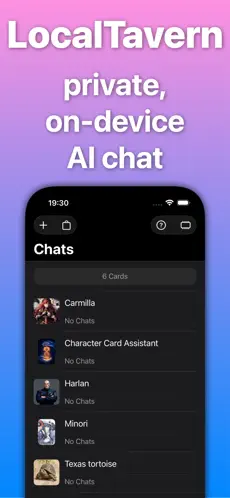
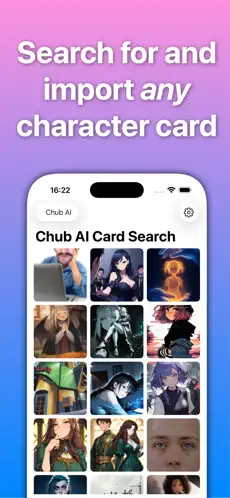
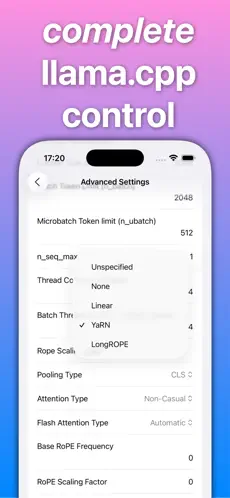
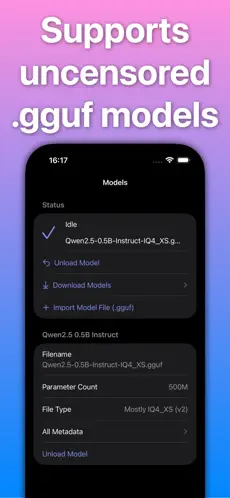
Run any valid .gguf model locally using llama.cpp — entirely on your device. No internet connection needed once you have your model and characters.
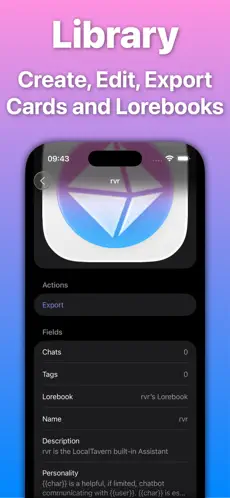
Search and browse CharaVault's entire library of character cards and lorebooks directly from the app. Find characters, preview them, and import with a tap.
Full support for CCv2 and CCv3 character card formats plus lorebooks. Create, modify, and export your own characters with a built-in editor.
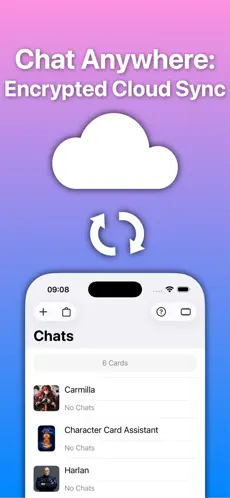
Encrypted cross-device synchronization via iCloud. Your characters and chats stay in sync across iPhone, iPad, Mac, and Apple Vision — all end-to-end encrypted.
A polished chat experience with a built-in macro system for dynamic prompts. KV caching enables instant message variations without re-processing the entire context.
No data collection, no accounts required, works completely offline. Everything runs on your device — your characters and conversations never leave your hands.
Requires iOS 18.4 or later. Also available on iPad, Mac (Apple Silicon), and Apple Vision Pro. Free with optional LocalTavern Plus subscription.
Built by zepsec industries LLC
Building an app, bot, or tool that integrates with CharaVault? Everything you need is here.
https://charavault.net
All responses are JSON unless noted.
No authentication required.
/api/cards
Search and browse character cards.
?q=search+term  •  ?tags=fantasy,elf  •  ?creator=name  •  ?nsfw=true|false  •  ?has_book=true|false
?folder=FolderName  •  ?sort=newest|oldest|name_asc|name_desc|most_downloaded|top_rated|token_count_asc|token_count_desc|most_commented
?limit=50 (max 200)  •  ?offset=0
/api/cards/{folder}/{file}
Full metadata for a specific card, including description, personality, first message, tags, ratings, and token count.
/cards/{folder}/{file}
Download the card PNG file directly. Returns image/png.
/api/cards/similar?path=folder/file
Find visually similar cards by image hash.
/api/cards/rating?path=folder/file
Average rating and vote count for a card.
/api/tags
All tags with usage counts.
/api/stats
Total card count, NSFW split, top tags, and other site-wide statistics.
No authentication required.
/api/lorebooks
Search lorebooks.
?q=search • ?topics=topic1,topic2 • ?creator=name • ?limit=50 • ?offset=0
/api/lorebooks/{id}
Full lorebook metadata and entry list.
/api/lorebooks/download/{id}
Download lorebook as a JSON file.
/api/lorebooks/topics
All lorebook topics with counts.
/api/cards/{folder}/{file}/lorebooks
Lorebooks linked to a specific card.
Requires a session cookie obtained from POST /api/auth/login. Pass cookies with your requests.
/api/auth/register
Create an account. Body: {"email","password","display_name"}
/api/auth/login
Log in. Body: {"email","password"}. Sets a session cookie on success.
/api/auth/me
Returns current user info: id, display_name, role, nsfw_verified.
/api/cards/upload
multipart/form-data with field file. Max 10 MB. Cards enter a mod review queue before going public.
/api/cards/my-uploads
Cards uploaded by the authenticated user, including pending ones. Supports ?limit and ?offset.
/api/cards/update-metadata?path=...
Update name, creator, tags, and text fields on a card you uploaded. Writes changes directly into the PNG file.
/api/cards/delete?path=...
Permanently delete a card you uploaded.
/api/favorites
DELETE
/api/favorites?path=...
GET
/api/favorites
Add, remove, or list favorited cards for the authenticated user.
If you're building an app that connects to CharaVault on behalf of a user, App Passwords are the right approach. They bypass 2FA (so your app doesn't need to implement a TOTP flow), create long-lived sessions, and give users a named, revocable token they can manage from their account settings.
How it works
cv_... token — it's shown only oncePOST /api/auth/login using the user's email + the cv_ token as the passwordLogin request
POST /api/auth/login
Content-Type: application/json

{"email": "[email protected]", "password": "cv_xxxxxxxxxxxxxxxxxxxxxxxxxxxxxxxxxxxxxx"}
Benefits for your app
Benefits for users
The cv_ token prefix identifies app password authentication in server logs.
The login response body contains a token. Send it on every request as a header: Authorization: Bearer <token>. This works on all endpoints and is the preferred method.
If your client cannot set headers (for example behind a proxy that drops them), read-only GET requests to /api/cards*, /api/lorebooks* and /cards/* also accept ?token=<token>. It is never accepted on write endpoints.
URLs can end up in logs and browser history, so only use ?token= with an App Password token, which the user can revoke at any time.
Limits apply per IP to /api/ endpoints only. Static files and page loads are not counted. Responses include an X-RateLimit-Remaining header.
Exceeding the soft limit returns 429. Exceeding the hard threshold triggers an escalating automatic ban:
Sessions authenticated via App Password receive 2× the standard limits automatically — no extra configuration needed.
PocketTavern (Android) and LocalTavern (iOS) both use CharaVault App Passwords to authenticate users without requiring 2FA support in the app. They're good references for how to implement App Password-based login in a mobile client.
Building something with our API? We'd love to hear about it — let us know.
Site updates, security notices, and other important information.
Reports are a big help in keeping the vault clean, but every report has to be reviewed by hand. From now on, a report about a card that doesn't break any site rule will earn the reporter a strike. 3 strikes and your account is banned.
Before you report, ask whether the card actually breaks a rule. If it mentions a term or kink you don't recognize, look it up first; not knowing what something means isn't a reason to report it. Reports of real rule violations are always welcome and will never earn a strike. Thank you.
We found and fixed an issue that was silently blocking all card uploads since July 26th. If you tried to upload a card recently and it failed or never appeared, that was us — not you. Uploads are now working normally again, so please re-upload anything that didn't make it through. Sorry for the trouble, and thanks for your patience!
We've made a round of behind-the-scenes changes that greatly speed up the site and significantly lower the server's memory usage. Browsing, search, and card pages should all feel noticeably faster and more responsive. Thanks for your patience — enjoy the snappier experience.
Apologies for the unexpected downtime earlier today. The server ran out of memory under load, causing a temporary freeze. We've identified the cause and applied mitigations to prevent this from recurring. Thank you for your patience while we sort things out.
You may have noticed the server go down a few times today. Changes were made on the server to help speed things up. Hopefully you notice faster response times while browsing. Thank you.
Just wanted to thank those who are helping in the community moderation. It's a lot for one person to moderate, so you're reports have been most helpful. Thank you
You can now upload multiple cards at once from the My Uploads tab. Select as many PNG files as you like in the file picker — each one is uploaded in sequence and you'll see a live progress panel showing the status of every card.
Single-file uploads work exactly as before. The same content rules apply — all uploads go through the standard virus scan, content check, and moderator review queue.
Two issues with embedded lorebooks (lorebooks built into character cards) have been fixed.
.lorebook.json file ready to import into SillyTavern or compatible frontends.The Tag dropdown now supports stacking multiple tags at once. Select a tag and it appears as a chip — select another and it adds to the filter. Results must match all selected tags.
Click the ✕ on any tag chip to remove just that tag. When two or more tags are active, a Clear all tags chip appears to remove them all at once.
Creator notes — the guidance card authors write for how their character should be used — are now displayed directly on the card detail page, above the comments section.
If a card includes creator notes, you'll see them automatically when you open it. Cards without creator notes are unaffected.
We're thrilled to see so many new faces — CharaVault has grown to over 1,400 users and signups have been picking up nicely. Thank you all for being here!
That said, we want to be upfront about a current limitation: our email service (Resend) is on the free plan, which caps outgoing emails at 100 per day. On busy days, some newly registered users may not receive their verification email right away.
If you signed up and didn't get a verification email, don't worry — just wait until the next day and use the Resend Verification button on your Account page. We apologize for the inconvenience and are looking into upgrading the plan as the site grows.
Please do verify when you can — unverified accounts are automatically deleted after 3 days to keep the database clean and our storage in check.
As always — happy searching and uploading. ❤️
All cards now carry a source tag indicating where they originally came from. A new Source dropdown has been added to the filter bar so you can browse cards from a specific platform.
Note: loose card files that could not be attributed to a specific platform have been defaulted to Character Archive.
You may notice CharaVault has fewer cards than platforms like Chub. This is intentional — Chub hosts a large number of duplicate characters under different IDs. We deduplicate by filename to save storage space, so you'll see fewer cards but less clutter.
The search bar now matches character names only by default. Previously, typing a name like “Alice” would also surface cards whose creator happened to be named Alice — that no longer happens. Use the dedicated operators to search other fields:
A new Tokens dropdown has been added to the filter bar. Use it to narrow results to a specific token range — Under 200, 200–400, 400–600, all the way up to 2000+. Pairs well with the existing sort options.
A full security audit of CharaVault has been completed and all identified findings have been addressed. We are not disclosing specifics of what was changed, but wanted to be transparent that it happened and note a few things you may notice as a result.
If you notice anything unusual with your account or have security concerns, contact us at [email protected].
Thumbnails for user-uploaded cards were not generating correctly after upload. The root cause was a permissions issue — generated thumbnails were being owned by the wrong system user and therefore not served to the browser. This has been resolved. If your uploaded cards are still missing thumbnails, try re-uploading them and they should appear immediately.
On every server start, CharaVault was firing a separate database query for each of the 284,000+ cards on disk to check if they had changed — causing both workers to pin at ~86% CPU until the scan finished. This has been replaced with a single bulk query, dropping idle CPU usage to near zero.
You may have noticed the site going down briefly several times today while we tested and deployed these fixes. We apologize for the disruption. Going forward, the server is now configured to reload gracefully when updates are deployed — meaning future changes will take effect with little to no downtime.
You can now leave comments on any character card. Open a card and the comments panel appears on the right — read without an account, or sign in to post. Comments are visible to everyone. Cards with comments show a 💬 N badge in the grid so you can see at a glance where the conversation is happening.
Hover over any card in the grid and a preview of the character’s description floats alongside it — no need to open the card just to get a feel for who they are. Move your mouse freely; the tooltip follows without blocking other cards.
Cards in the browse grid are slightly larger, giving artwork more room to breathe without sacrificing how many fit on screen.
Card uploads were broken due to a missing internal dependency introduced in a recent refactor. The following issues have been resolved:
Everything is back to normal. If you attempted an upload during the affected period, please try again.
The Site Nav button at the top of the page now gives you quick access to everything without hunting through the layout. One click gets you to:
Logged-in users now see a Discover section on the main page showing trending cards and what’s new this week. It’s a quick way to find popular or freshly uploaded cards without searching.
Open any card and you’ll see a 💬 Try Card button. Click it to start an anonymous chat session with that character — no account required, no data saved.
The Bot Browser SillyTavern extension (mia13165/SillyTavern-BotBrowser) was found to contain a trojan that steals LLM API keys and SillyTavern configuration data. If you have ever had this extension installed, take action immediately.
extensions/ folderWe apologize for any interruptions you may have experienced today. A drive failure in our server caused a brief period of instability. The issue has been resolved and the site is fully operational again. Thank you for your patience.
CharaVault is growing and we need community members to help keep it a safe and welcoming space. Moderators help review flagged cards and handle reports. If you're an active member and interested in helping out, reach out to us at [email protected].
From time to time, cards that slip through our automated detection will be identified and removed in bulk. This is part of our ongoing effort to maintain quality and safety on the platform. If a card of yours is removed and you believe it was caught in error, you can contact us to have it reviewed.
CharaVault welcomes characters of all ages for creative and story-building purposes. Young or teenage characters are perfectly fine — we love a good coming-of-age story, school drama, or adventure. However, sexual content involving minors is strictly prohibited, regardless of whether the character is described as fictional or “aged up.” Keep adult content adult. Cards found in violation will be removed without notice.